From hotels and tour companies to doctors’ offices and neighborhood shops, businesses use rack cards to share quick, eye-catching information that people notice. In fact, print marketing helps people remember your brand much better than digital ads by as much as 70–80%. That makes rack cards a smart choice for getting your message into customers’ hands.
But, even with the best content, the wrong rack card dimensions can cause your card to get lost or overlooked in a display. Choosing the standard rack card size is about more than following tradition; it’s about maximizing your reach, clarity, and brand appeal.
Whether you’re looking for 4×9 rack card printing or exploring options through custom printing services in Reno, NV, we can help you get it right from the start.
In this post, we’ll discuss what a rack card is, the most popular rack card sizes, when to use them, and how to design one that doesn’t just sit in a rack.
Let’s dive in.

What Is the Standard Rack Card Size?
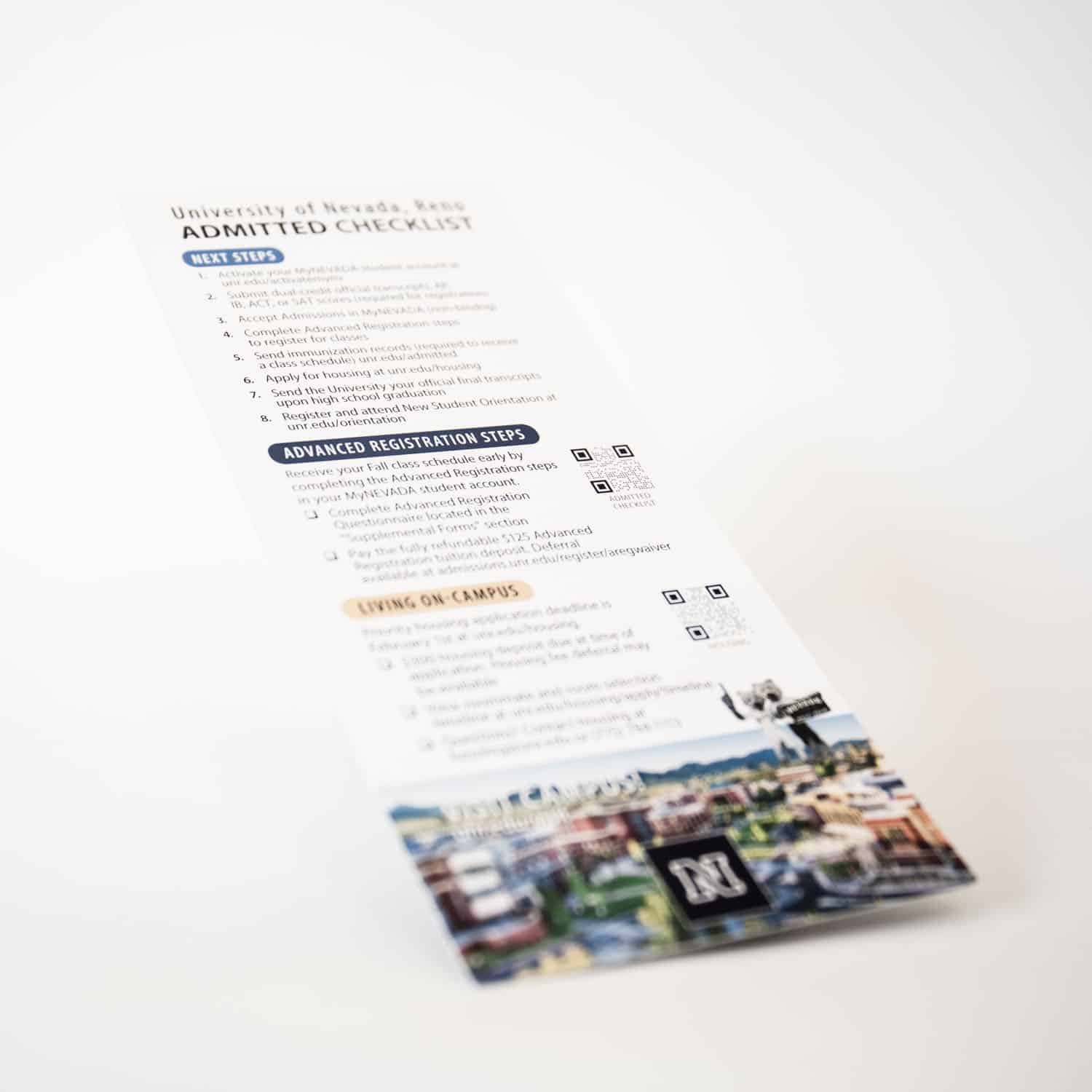
There isn’t one rack card size, but most printers in the US and around the world use a few main options. The most widely used rack card size is 4 x 9 inches, which fits perfectly in the brochure racks you’ll find in hotels, airports, and visitor centers.
Some businesses choose a smaller 3.5 x 8.5-inch rack card dimension, particularly when they need something more compact for tight spaces or a clean, modern look. For example, this smaller size works well at car rental desks or coffee shop counters.
Understanding Rack Card Dimensions
It’s important to choose a rack card size that’s easy to read and fits in standard display racks. If your card is too big, it won’t fit. Go too small, and people may overlook your message next to larger cards.
Hotels, airports, and visitor centers almost always use rack cards that are either 4 × 9 inches or 3.5 × 8.5 inches. Also, the size you choose affects your design. A 4 × 9-inch card gives you more room for bold visuals or extra information, while a 3.5 × 8.5-inch card is perfect for short, punchy messages and easy designs.
Before making a choice, think about where your cards will be displayed. Crowded hotel lobbies might need bigger, bolder cards, while a front desk with limited space could be better for the smaller size.
The Top 2 Standard Rack Card Sizes and Their Uses
Rack card size helps you decide where you can display your cards. Print rack cards are a popular way for local businesses to promote their services in high-visibility locations such as hotels, visitor centers, and community venues.
Here are the two sizes you’ll see in hotels and visitor centers, plus tips on when each one makes the most sense for your message and location.
4.0″ x 9.0″ Rack Cards: The Most Popular Size
The 4.0″ x 9.0″ rack card size is the default for most businesses and organizations. It’s widely used in hotel lobbies, visitor centers, and public event spaces. This size is perfect for placement in high-traffic areas such as hotel lobbies, tourist centers, and reception desks to maximize foot traffic and visibility. It gives you ample space for high-impact visuals, strong calls-to-action, and clear contact details, all elements that can persuade a reader to pick up your card.
If you want to include maps, schedules, or a mix of graphics and text, this is the perfect size. Its proportions are also good for vertical displays, putting your most important information right at eye level.
Tips for Designing 4.0″ x 9.0″ Rack Cards
- Prioritize readability: Use clear fonts no smaller than 10 points for body text, with larger, bold headlines.
- Create a logical content hierarchy: Place your main message at the top or in the visual hotspot, with supporting details below.
- Include bleed and safety margins: Allow at least 0.125 inches bleed on all sides. Keep important elements at least 0.25 inches from the trim edge to avoid accidental cropping.
- Balance visuals and text: Use images that are high-resolution and keep clutter to a minimum.
- Direct attention with color: Use brand colors thoughtfully to call out offers or contact info.
3.5″ x 8.5″ Rack Cards: Compact and Sleek
The 3.5″ x 8.5″ rack card size is for situations that call for a more compact piece. In restaurants, beauty salons, or specialty boutiques, places with limited counter space, these rack cards can sit neatly next to the register or in small stands. This size is also popular in tourist centers where space is limited but high distribution is needed. Their sleek profile can support a minimalist brand image or highlight a single product or service.
This size encourages tight, focused messages and is popular for promoting local specials, quick service menus, or targeted offers. Businesses typically order larger quantities of this compact size for broad promotional campaigns.
Tips for Designing 3.5″ x 8.5″ Rack Cards
- Use concise messaging: Limit your copy to the essentials, headline, offer, and clear contact information.
- Highlight one main call-to-action: Encourage the reader to act, such as calling for a reservation or scanning a QR code.
- Choose simple, bold images: Avoid crowding the layout with too many graphic elements.
- Typography matters: Choose highly readable fonts. Use contrast to draw attention to your call-to-action.

How to Make Any Rack Card Stand Out
Even with the right size and layout, your rack card needs that extra edge to grab attention. Here are a few effective design techniques that help your card stand out in crowded displays and stay memorable long after it’s picked up.
Creative Design Tips to Elevate Your Rack Card
If you want your rack card to stand out in a busy display, start with a headline that spells out the benefit, like “Book Your Next Adventure Here” or “Get 25% Off Local Tours.” This way, people instantly see what’s in it for them.
Keep your look consistent by using the same logo, colors, and tagline that your customers recognize from your other materials. This helps people know right away it’s your business, and they are more likely to trust what they’re seeing.
Color matters, too. For example, bright reds or oranges grab attention and create excitement, blues feel calm and reliable, and greens work well for brands focused on health or nature.
Lastly, organize your information so it’s easy to scan. Break things up with bullet points or little icons. Most folks make a snap decision as they walk by, so your main message needs to be easy to spot at a glance.
Functional Enhancements
Adding practical features increases the value of your rack card. QR codes can direct readers to your website, event page, or promotional video. Coupon tear-offs, maps, or event schedules make the card something people want to take with them.
For events or time-limited offers, highlight dates or terms in a way that is easy to see at a glance. Consider including social media handles so readers can engage with you online.
Choosing the Right Paper Stock and Finish
The paper and finish you use can change how your rack card looks, feels, and how long it lasts. This will help you select the best option for your rack card printing:
- Glossy Paper: Makes colors pop and gives photos or graphics a shiny look.
- Matte Paper: Has a smooth, glare-free finish. Great for cards with lots of text or if you want a sleek, modern vibe.
- Uncoated Paper: Feels more natural, and you can easily write on it, perfect for cards with checkboxes or notes.
- Thick Cardstock (14pt or 16pt): Heavier and tougher, so your card holds up better in busy places.
- Premium Coatings (Soft-Touch or Spot UV): Add some texture or a shiny spot for a high-end, premium feel.
FAQs About Matte vs Glossy Printing
Let Digiprint Help You Choose the Right Rack Card Size
Selecting the rack card size is an important step in creating marketing that gets noticed and acted upon. The 4.0″ x 9.0″ rack card provides space for bold, detailed designs, while the 3.5″ x 8.5″ format is perfect for a concise, sleek approach.
The choice should match your goals, audience, and the display locations where your card will live. Use smart content layouts, strong branding, and quality paper stock to make sure your rack cards feel as good as they look. Above all, keep the reader’s needs and habits in mind, make your message clear, your offer valuable, and your design inviting.
Need custom rack cards printed fast? Digiprint’s custom printing services in Reno, NV, can help. Contact us today and we’ll help bring your vision to print and make sure it works for your business.